Btrfs Snapshot Integration in KDE
the 20th of August, 2026
I have been working on integrating Btrfs snapshots into KDE software. The central part of this work has been realized in the form of KIO Snapshot, which has just been released. Here I want to discuss what it is, how it works, how it was developed, and the surrounding work across KDE.
Background
Among the key features of Btrfs is the ability to take efficient snapshots of subvolumes (Subvolumes are independently manageable directory trees within your filesystem. You can snapshot or rollback a subvolume atomically and independently from the rest of your filesystem. Snapshots are just special cases of subvolumes.) . They are efficient because Btrfs makes snapshots share file extents with the originals, so snapshots only take up additional space where they differ from the original. Thus it is cheap to take snapshots frequently without worrying about disk space.
This can be used to build very handy universal “undo” or “time travel” functionality for the user. Yet, though there are graphical tools to work with Btrfs snapshots such as Btrfs Assistant, these are separate from normal file browsing, and are rather technical tools concerned with the orchestration of snapshots. Direct integration of snapshots into the file browser itself for mundane end-user purposes, like Windows has with Previous Versions or macOS with the famous Time Machine, has been lacking in the Linux world. The aim of KIO Snapshot is to build that kind of direct integration for KDE.
What it is
KIO Snapshot lets Dolphin (indeed any KDE software) list and access Btrfs snapshots of a file or subvolume.
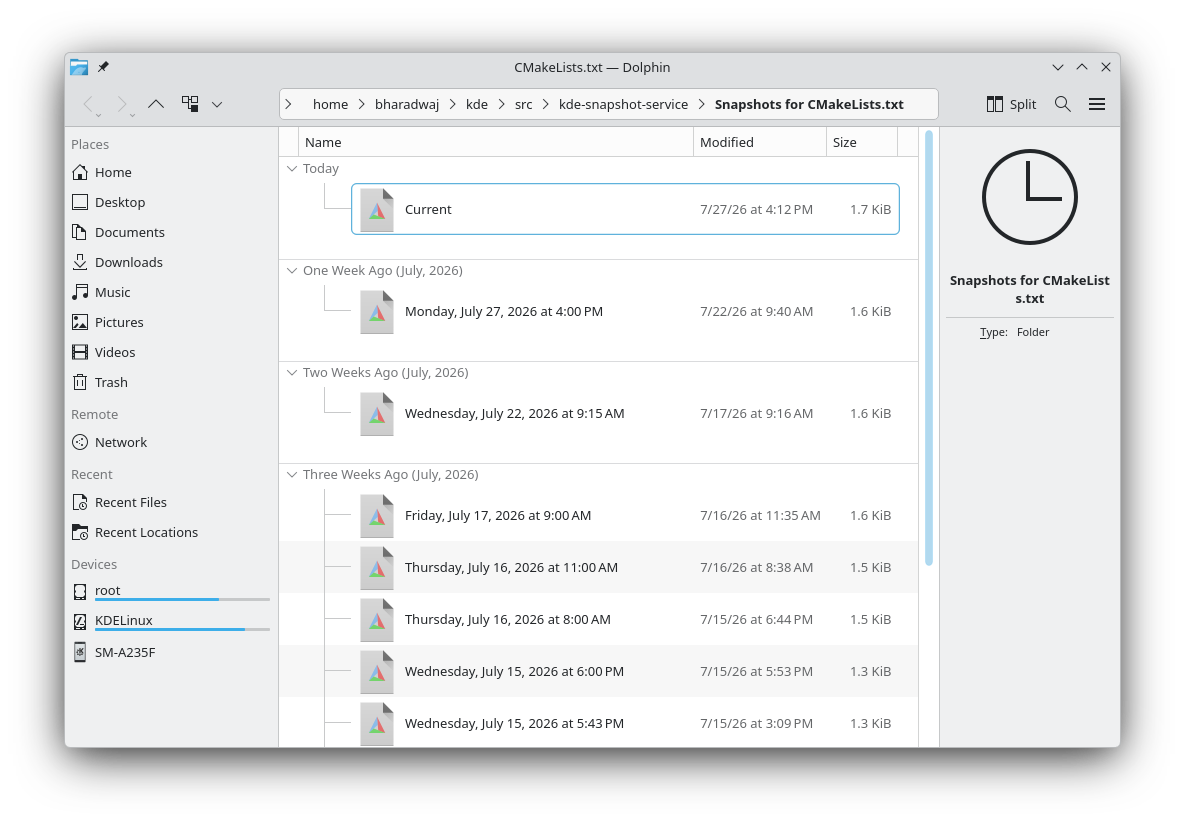
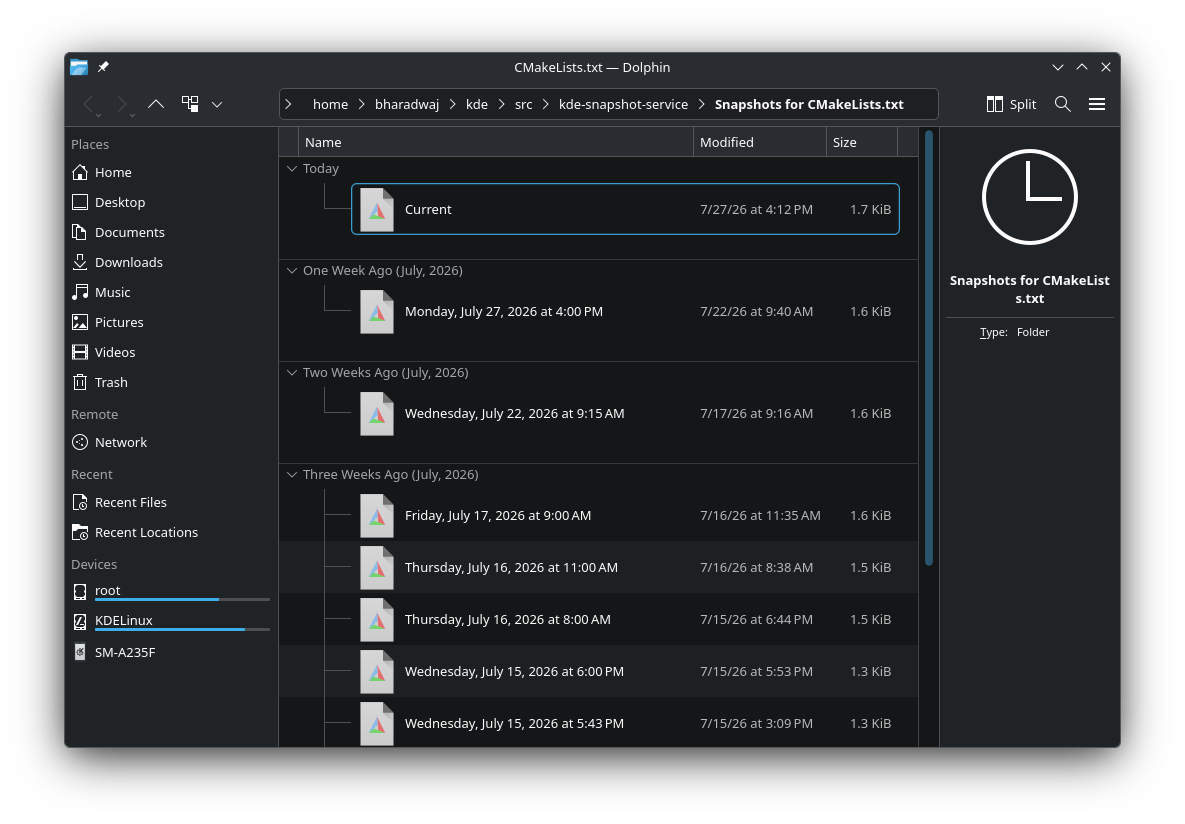
You can right-click on a file and go to a folder view showing you all the distinct past versions of it as saved in your snapshots. (At first, I wrote the snapshots-for-file case as a dialog with buttons to open or restore (like Windows’ Previous Versions feature), but I changed it to be a full virtual folder, since that would be much more flexible — now a user could select multiple previous versions and open them in a comparison tool, or copy them somewhere, or check their metadata easily, or whatever else they wished.)
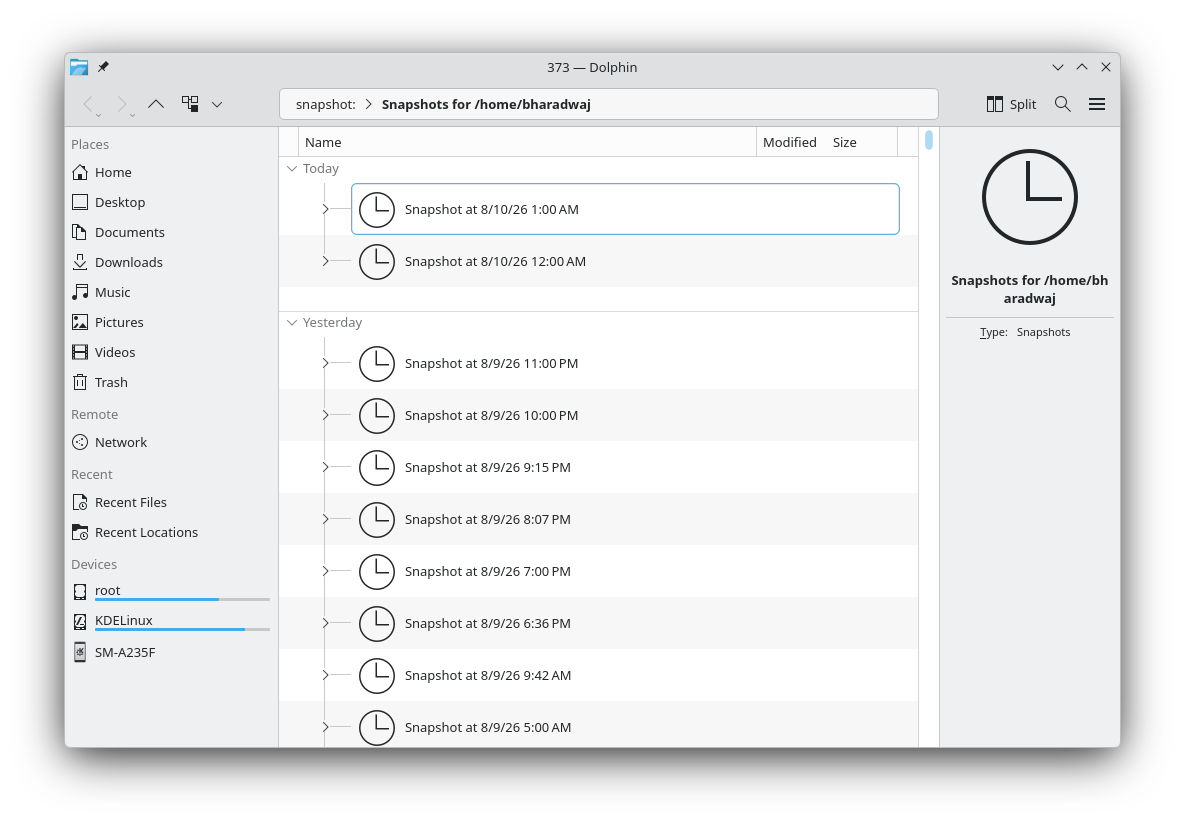
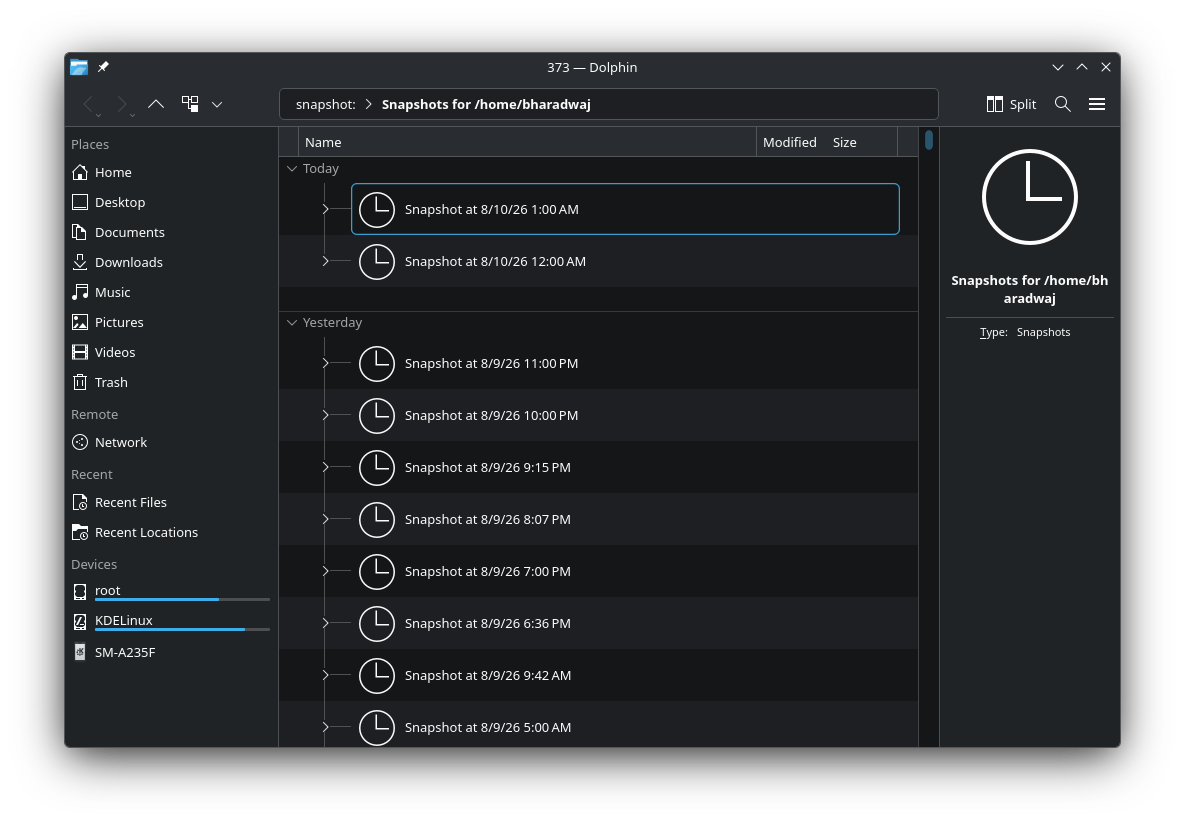
You also have views into entire directory trees of subvolumes at their various snapshots.
Note that it does not take snapshots, it only allows access to them. To take snapshots, you
would have to do it manually, or through an orchestrator like Snapper (If you are using Snapper, you should add yourself to the ALLOW_USERS setting for your Snapper config and turn on SYNC_ACL=yes, to allow rootless access to your snapshots.
See Snapper-Configs(5) and Snapper(8) § Permissions for details.) .
How it works
Mainly it uses libbtrfsutil from btrfs-progs to talk to the filesystem, and KDE Frameworks’ Solid to query filesystems and mounts on a more meta level.
Now, the Btrfs API is quite conservative in what it allows non-superusers to do with it. Even a question as seemingly innocuous as “what subvolume is this path in?” cannot be answered for a non-superuser directly. The consequence of this is that on my first attempt at building this integration, I had one component running as a system-level DBus service which would let users query stuff like this for files they owned.
Luckily, a nudge from Méven Car made me realize that with some working-around, I could build out all the features without anything running as root. For example, while Btrfs is loath to let you get the subvolume ID for a path or vice versa, it will happily give you a listing of the subvolumes (that you can access) under a path. From there you can derive all the information needed.
Using this, KIO Snapshot implements a KIO worker that provides the snapshot:// protocol, which will be understood by all programs which use KDE Frameworks.
This protocol provides a virtual view into the snapshots in a filesystem along two dimensions: the snapshots for a given subvolume, each of which is a browsable directory tree in itself;
and the snapshots for a given file across all snapshots of its containing subvolume.
Allied work
Aside from KIO Snapshot itself, I also worked on some small things in other parts of KDE to support it.
- Fixed a bug in KIO which caused inconsistent behavior in Dolphin’s location bar: KIO MR #2305
- Fixed how Solid handled Btrfs layouts like the one used in KDE Linux: Solid MR #261
- Special default view settings for KIO Snapshot’s views in Dolphin: Dolphin MR #1347
- Experimented with adding support for Btrfs subvolumes into Solid itself — this is just a rough proof-of-concept, and maybe this work is more appropriate further upstream in UDisks — but here it is anyway: Solid branch btrfs-subvolumes
KDE Linux
KDE Linux will soon ship with Snapper and KIO Snapshot out-of-the-box.
Hadi Chokr did a lot of excellent integration work here: migrating the filesystem layout to make all user homes subvolumes, and automatically integrating and configuring Snapper for all users seamlessly.
This is part of a broader initiative in KDE Linux to improve data backup and restore systems, which has also overseen improvements elsewhere, such as in the Kup backup system.
Release
The first stable release of it was made today (thanks to Bhushan Shah for helping with the release process). I imagine it should be getting packaged into distros fairly soon, thanks to the infrastructure that comes with being a KDE project, but even then it should be easy enough to compile from source. Please use it and report bugs and requests, thank you!